
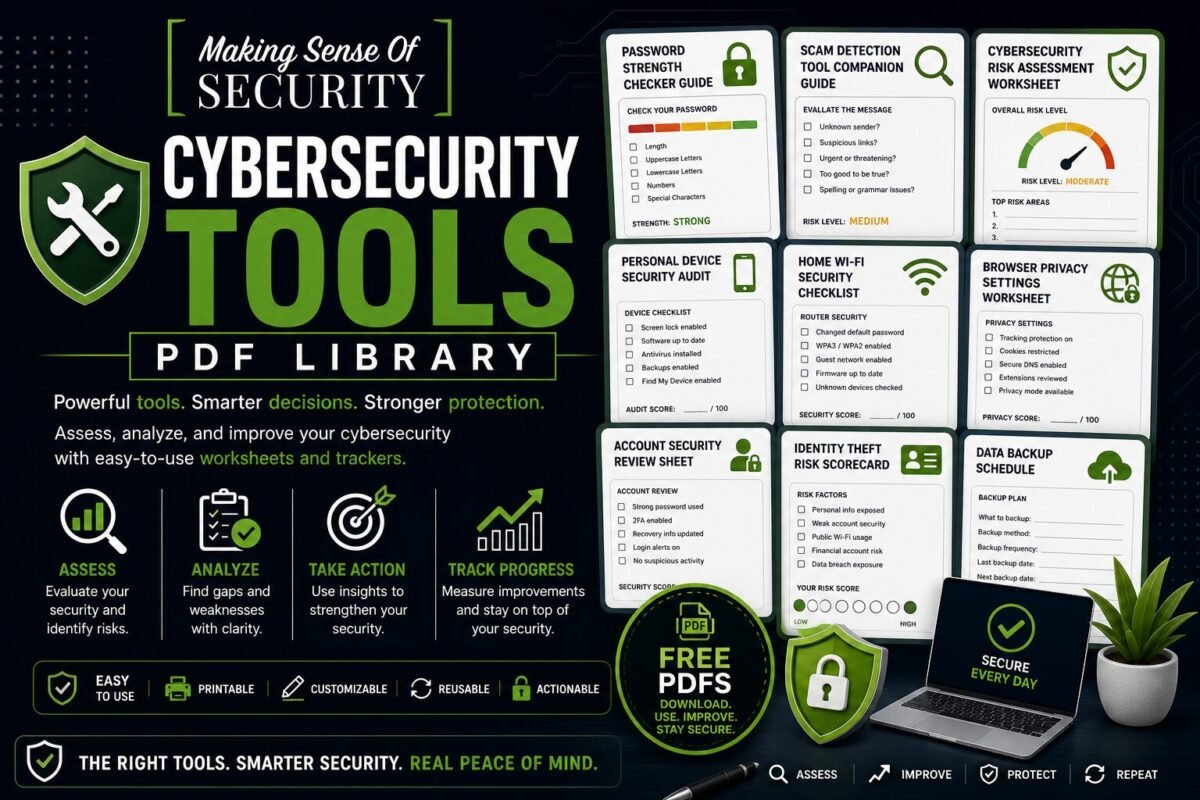
Cybersecurity Tools PDF Library
Tools that walk you through hardening every part of your digital life — risk assessments, security audits, calculators, and worksheets that turn cybersecurity from theory into action.
Who These Resources Are For
Anyone who wants a guided, hands-on way to evaluate their current security posture and improve it. Pair these with the matching live tools on our website to get personalised results.
Available Tools
Password Strength Checker Guide
Score any password manually. Understand the math behind cracking time and the patterns attackers exploit.
Scam Detection Tool Companion Guide
Step-by-step companion to the on-site Scam Detector — how to interpret results plus a manual detection method.
Cybersecurity Risk Assessment Worksheet
20-question scorecard across identity, accounts, devices, network, and scam exposure. Find your top 3 weak spots.
Personal Device Security Audit
A reusable 100-point audit instrument you can run on any phone, laptop, or tablet.
Home Wi-Fi Security Checklist
A 28-point diagnostic for testing your home Wi-Fi against common vulnerabilities. Run it quarterly.
Browser Privacy Settings Worksheet
Per-browser privacy audit covering Chrome, Firefox, Safari, Brave, and Edge with the exact toggles to flip.
Account Security Review Sheet
A reusable single-page 100-point audit for any online account. Print one per Tier-1 account.
Identity Theft Risk Scorecard
Score your identity-theft exposure across 5 vectors (SSN, credit, dark web, tax fraud, family) so you spend defence dollars where they matter.
Want all 50+ free cybersecurity resources in one place? Browse the full PDF Library hub.
Stay Updated
Bookmark this category or join the email list — we drop new free PDFs here regularly.
Cybersecurity Tools PDF Library
Practical Worksheets, Trackers, and Tools to Strengthen Your Digital Security
Welcome to the Cybersecurity Tools PDF Library—your hands-on resource hub for building, analyzing, and improving your cybersecurity using structured, actionable tools. This library is designed to go beyond learning and planning. It’s about doing, tracking, testing, and improving your security in real time.
While guides teach you and checklists guide you, tools help you take control. They give you a way to measure your current security, identify gaps, and actively improve your systems. Whether you’re reviewing your passwords, auditing your devices, or assessing your risk level, these PDFs are built to help you make smarter, data-driven decisions about your digital safety.
What Is the Cybersecurity Tools PDF Library?
The Cybersecurity Tools PDF Library is a collection of downloadable, structured PDFs designed to function as interactive worksheets, trackers, and evaluation tools.
Each tool is built to help you:
- Analyze your current security setup
- Identify weaknesses and vulnerabilities
- Track improvements over time
- Apply cybersecurity best practices in a structured way
These are not passive resources—they are active tools that help you engage with your cybersecurity and continuously improve it.
Why Cybersecurity Tools Matter
Most people approach cybersecurity reactively. They:
- Change a password after a breach
- Adjust a setting after a scare
- Learn only when something goes wrong
But real security comes from proactive management.
Cybersecurity tools help you:
- Take control before problems happen
- Understand your risk level
- Track your progress over time
- Build consistent habits
Instead of guessing, you gain visibility, structure, and control.
Who These Tools Are For
The Cybersecurity Tools PDF Library is designed for:
- Individuals who want to improve their digital security
- Beginners looking for structured guidance
- Families managing multiple devices and accounts
- Professionals tracking their security practices
- Small business owners evaluating risks
If you want to move from awareness to action, these tools are built for you.
How to Use the Tools Effectively
To get the most value from this library, follow a simple system:
1. Choose a Tool Based on Your Goal
Start with what you want to improve—passwords, devices, privacy, or risk assessment.
2. Complete the Worksheet
Fill in the tool honestly. The more accurate your input, the more useful the results.
3. Identify Gaps
Look for areas where your security could be improved.
4. Take Action
Use the insights to make real changes.
5. Revisit and Track Progress
Many tools are designed to be reused so you can monitor improvements over time.
Available Cybersecurity Tools
Each tool in this library focuses on a specific aspect of cybersecurity, helping you build a complete system.
Password Strength Checker Guide
Passwords are often the weakest link in security.
This tool helps you:
- Evaluate password strength
- Identify weak or reused passwords
- Improve password complexity
- Understand what makes a password secure
It transforms password security into a measurable and improvable process.
Scam Detection Tool Companion Guide
Scams are constantly evolving, making them harder to detect.
This tool helps you:
- Analyze suspicious messages
- Identify red flags
- Evaluate legitimacy
- Make safer decisions
It acts as a structured way to assess whether something is trustworthy or not.
Cybersecurity Risk Assessment Worksheet
Understanding your risk level is key to improving security.
This worksheet helps you:
- Evaluate your current security setup
- Identify high-risk areas
- Prioritize improvements
- Track overall security posture
It gives you a big-picture view of your cybersecurity.
Personal Device Security Audit
Your devices hold valuable personal information.
This tool helps you:
- Review device security settings
- Identify vulnerabilities
- Ensure updates are applied
- Strengthen overall protection
It ensures your devices are not overlooked in your security strategy.
Home Wi-Fi Security Checklist Tool
Your home network connects everything—making it a critical security point.
This tool helps you:
- Evaluate your router settings
- Identify weak configurations
- Secure your network
- Monitor connected devices
It helps protect your entire digital ecosystem.
Browser Privacy Settings Worksheet
Your browser is one of the most used tools—and one of the most exposed.
This worksheet helps you:
- Review privacy settings
- Limit tracking and data collection
- Improve browsing security
- Understand browser risks
It gives you control over your online activity.
Account Security Review Sheet
Most people have dozens of online accounts—but few review them regularly.
This tool helps you:
- Audit account security
- Check for weak passwords
- Verify authentication methods
- Identify unused or risky accounts
It helps you maintain control over your digital presence.
Identity Theft Risk Scorecard
Identity theft is a serious and often overlooked threat.
This tool helps you:
- Evaluate your exposure to identity theft
- Identify risky behaviors
- Measure your protection level
- Take preventative action
It turns a complex risk into a clear, trackable score.
And More Tools to Come
This library is continuously expanding with new tools, including:
- Social media privacy trackers
- Data exposure worksheets
- Digital habit trackers
- Security improvement planners
As cybersecurity evolves, so will the tools available to you.
Designed for Action and Results
Each tool in this library is built with:
- Clear instructions
- Simple layouts
- Easy-to-use formats
- Practical, real-world application
This ensures you can move from thinking about security to actively improving it.
Turn Awareness Into Measurable Improvement
One of the biggest challenges in cybersecurity is knowing whether you’re actually improving.
These tools help you:
- Measure your progress
- Track improvements over time
- Identify patterns and risks
- Build confidence through data
Instead of guessing, you gain clear insights into your security.
Build Your Personal Cybersecurity Dashboard
By combining these tools, you can create your own cybersecurity management system.
For example:
- Use the risk assessment worksheet to identify priorities
- Audit your devices and accounts
- Improve your passwords
- Track your identity risk score
- Review and update regularly
This creates a layered, proactive approach to security.
Why This Library Is Essential Today
Cyber threats are increasing, and managing them requires more than awareness—it requires ongoing evaluation and improvement.
Without tools, it’s easy to:
- Overlook vulnerabilities
- Forget important updates
- Misjudge your risk level
- Stay reactive instead of proactive
The Cybersecurity Tools PDF Library helps solve this by providing:
- Structured evaluation methods
- Clear improvement paths
- Repeatable systems
- Confidence through visibility
Perfect for Personal Use, Families, and Businesses
These tools are designed to be flexible and widely usable.
You can:
- Use them for personal security improvement
- Share them with family members
- Apply them in small business environments
- Incorporate them into training or education
They provide value at every level.
Your Cybersecurity Control Center
Think of this library as your control center for digital security.
Instead of:
- Guessing what needs improvement
- Relying on memory
- Taking random actions
You can:
- Use structured tools
- Track your progress
- Make informed decisions
- Continuously improve
From Reactive to Proactive Security
The goal of this library is simple: help you take control.
Instead of reacting to problems after they happen, you can:
- Assess your security regularly
- Identify risks early
- Take action before issues arise
- Build long-term protection
Start Using the Cybersecurity Tools Today
Download your tools, complete your first assessment, and begin improving your cybersecurity today. Whether you’re reviewing your passwords, auditing your devices, or measuring your risk, these resources are designed to help you succeed.
Measure smarter. Improve faster. Stay protected.
Explore the Cybersecurity Tools PDF Library now and take control of your digital security with confidence.