QR Code Phishing in 2026: How to Spot Quishing Scams
You walk up to a parking meter, see the friendly little square, scan it with your phone, and tap your card details into what looks like the city’s payment page. A week later, your bank flags a string of mystery charges from another country.
You did everything “right” — except the QR code wasn’t the city’s. QR code phishing, also called quishing, has quietly become one of the fastest-growing scams of 2026, and it works because we’ve all been trained to scan first and ask questions later.
The good news: a few small habits will keep you out of almost every quishing trap. In this guide you’ll learn how QR code phishing works, the real-world places it’s showing up right now, the red flags to watch for, and a seven-step routine you can use every time you scan.
What Is QR Code Phishing (Quishing)?
Quishing is phishing that uses a QR code as the bait instead of a clickable link. The criminal embeds a malicious URL inside a QR code, places that code somewhere a victim will scan it — a sticker on a parking meter, a flyer left on a windshield, an email attachment, a fake invoice — and waits for the scan.
Once you scan, your phone opens a website that looks legitimate but is built to steal your login, card number, or one-time passcode.
Ready to Play?
Quick-fire True or False rounds that’ll change how you think online.
The trick is that QR codes hide the destination. A normal phishing link in an email is at least visible to security filters and to a careful reader. A QR code is just a black-and-white square. Most email security tools see it as an image and let it through. Most people see it and just point their camera.
According to industry research, roughly 73% of users scan QR codes without verifying where the link actually goes, which is exactly why attackers love them.
Why Quishing Exploded in 2025 and 2026
QR phishing didn’t happen by accident. Three forces collided:
- We trained ourselves to scan. Pandemic-era menus, contactless payments, event check-ins, and shipping labels normalized scanning random QR codes from strangers.
- Email defenses can’t read images well. Many secure email gateways still treat a QR code as a picture, not a URL, so the malicious link slides past filters that would have blocked the same link in plain text.
- Phones are softer targets than laptops. The link almost always opens on a mobile device, where the address bar is short, certificate warnings are easy to miss, and corporate security tools usually aren’t watching.
The numbers reflect the shift. Researchers tracked a roughly fivefold increase in QR phishing attacks in 2025, and by year-end about 12% of all phishing attempts contained a QR code. More than 1.7 million unique malicious QR codes were spotted inside email attachments alone.
Meanwhile, the FBI’s Internet Crime Complaint Center logged a jump in reported phishing losses from roughly $70 million in 2024 to $215.8 million in 2025 — a slice of which came directly from quishing campaigns.
Where QR Code Phishing Is Showing Up Right Now
If you only think of QR scams as something that happens in email, you’re missing most of the action. Here are the places quishing has been confirmed in the past few weeks of 2026 alone.
1. Parking Meters and Pay Stations
This is the headline scam of spring 2026. In late April, the City of Mississauga publicly warned that staff had peeled about 80 fake QR-code stickers off downtown pay-and-display machines — each sticker plastered neatly over the real payment instructions.
Costa Rica’s authorities issued a similar alert about fake “parking violation” notices left on windshields, instructing drivers to scan a QR code to pay a phantom fine. Police in Southern California, New York, and other U.S. cities have circulated nearly identical warnings.
The pattern is the same everywhere: scammers print QR-code stickers that point to a clone of a city payment page, slap them over the legitimate code, and collect card numbers until the city catches up.
2. Restaurant Tables and Menus
Sit-down menus moved to QR codes, and so did the criminals. Reports across the U.S. and Europe describe scammers replacing the laminated table-tent QR code with their own. Diners scan, land on a convincing “order and pay” page, and willingly enter card details — sometimes even agreeing to a hefty “service charge” that goes straight to the attacker.
3. Email-Based Quishing
The classic version: an email arrives looking like a Microsoft 365 password reset, a DocuSign request, or a shipping notice from FedEx. The body contains a QR code with text like “Scan to verify your account.” The link goes to a credential-harvesting page tuned to your company’s logo. Because security gateways often don’t read inside images, these messages reach inboxes that block 99% of regular phishing.
4. Targeted Spearphishing of Organizations
On January 8, 2026, the FBI issued FLASH alert AC-000001-MW warning that the North Korean threat group Kimsuky was embedding malicious QR codes in spearphishing emails sent to think tanks, universities, and government-adjacent groups.
The attackers specifically wanted to push victims off their hardened laptops and onto their less-protected phones. If a nation-state campaign uses this trick, you can be sure ordinary criminals are copying the playbook.
5. Mailers, Flyers, and Door Hangers
Physical mail with QR codes is the new fake check. “You have an unclaimed package — scan to confirm delivery.” “Final notice from your utility — scan to avoid disconnection.”
The codes route to fake billing portals or trigger malware downloads. Older adults and busy parents are the most common targets. Many of the same psychological tricks are at play here as in the calls we covered in our guide to the dangers of responding to unfamiliar numbers.
Red Flags That a QR Code Might Be a Scam
Before you scan anything, train your eyes to look for these warning signs.
- A sticker on top of another sticker. Real signage from a city, a restaurant, or a transit agency is printed or laminated — not a peeling label slapped over the original.
- Mismatched fonts or colors. Fraudulent stickers usually look slightly “off” compared to the surrounding signage.
- Urgency or threats. “Pay within 24 hours or your account will be suspended.” “Final notice.” “Avoid arrest.” Real organizations rarely communicate that way.
- A request for full card details on the page after scanning. Most legitimate parking and ordering systems use Apple Pay, Google Pay, or a tokenized payment processor — not a giant form asking for your card number, CVV, billing zip, and SSN.
- A URL that doesn’t match the brand. If you scan a Starbucks code and the preview shows starbuks-rewards-login.com, walk away.
- A QR code in an unsolicited email or text. Especially if it claims to be from your bank, a courier, or your IT department.
7 Steps to Protect Yourself from Quishing
You don’t have to swear off QR codes — you just need a quick mental checklist. Use these seven steps every time.
- Pause before you scan. Treat every QR code like a stranger handing you a folded note. A two-second pause is enough to spot a peeling sticker or an oddly placed flyer.
- Inspect the surface for tampering. Run your fingernail across the corner of the code. If it lifts or slides, it’s a sticker on top of the real signage. Walk away or peel it off and report it.
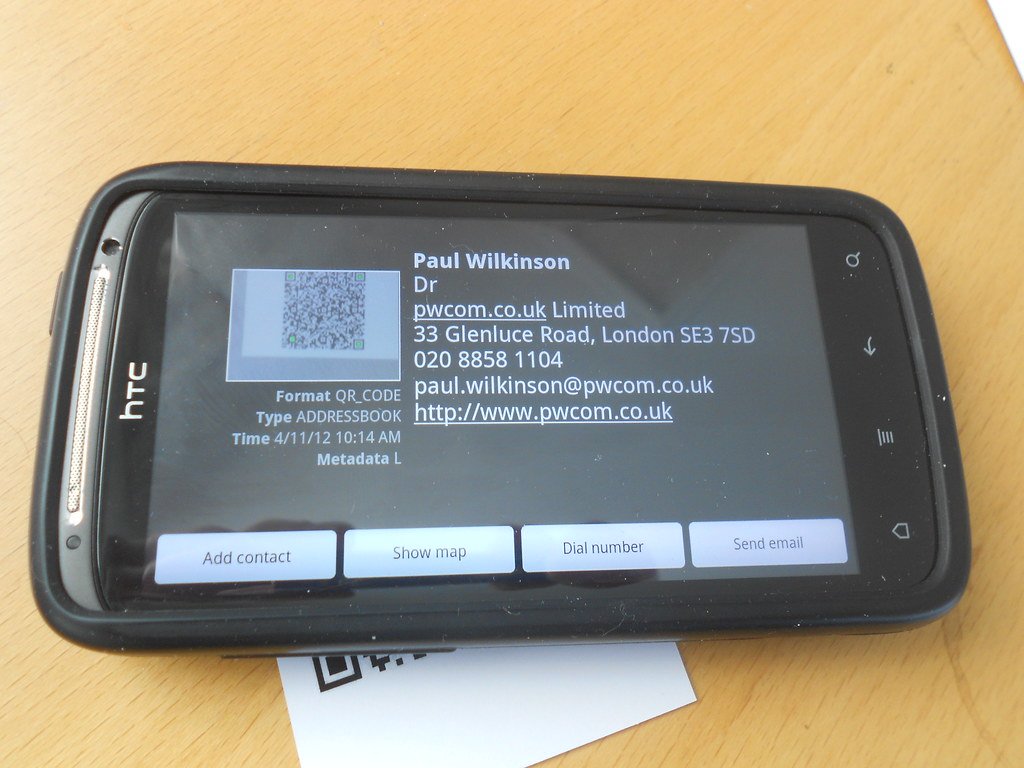
- Preview the link, don’t open it. Modern iPhone and Android cameras show the destination URL in a banner before opening. Read the full domain, not just the start. citypay.gov is real; citypay-gov-secure.online is not.
- Type it yourself when money is involved. For parking, utilities, taxes, or anything tied to a payment, type the official URL into your browser instead of scanning. It takes 10 extra seconds and removes the entire attack surface.
- Use a payment method that hides your card. Apple Pay, Google Pay, PayPal, and virtual card numbers from your bank don’t expose your real number to the merchant — or to a fake page pretending to be one.
- Turn on multi-factor authentication. Even if a quishing site captures your password, MFA keeps the attacker locked out. Use an authenticator app or hardware key instead of SMS where possible.
- Report and warn. Tell the business or city as soon as you notice a fake code. Report email-based quishing to your IT team and to the FTC at reportfraud.ftc.gov, and forward suspicious texts to 7726 (SPAM).
If you’d like a friendly second opinion before tapping a link, our walkthrough on how to use a scam detector app shows how a quick lookup can catch fraudulent destinations in seconds.
What Small Businesses Should Do This Week
Quishing is not just a consumer problem — small businesses get hit on both sides of the counter. Customers blame you when a fake QR code at your storefront empties their account, and your own staff can be tricked by a quishing email that pretends to be from your accountant or payroll provider.
A few high-impact moves:
- Audit your physical QR codes weekly. Walk every menu, table tent, sign, and storefront window. Photograph the legitimate codes so staff can spot replacements at a glance.
- Use tamper-evident or printed-into-the-surface QR codes. Embedded codes that are part of a printed menu or laser-etched sign are far harder to overlay than removable stickers.
- Train staff to recognize quishing emails. Any internal email that contains a QR code asking for a login should be treated as suspicious until verified. Add it to your phishing simulations.
- Lock down email and identity. Enforce MFA, conditional access on mobile devices, and a password manager so a stolen credential doesn’t become a stolen account. The basics in our guide to the importance of protecting your data apply directly here.
- Have a public reporting channel. Make it easy for customers to flag a suspicious QR code at your location — an email address, a phone number, or even a printed line on receipts.
Where to Get Authoritative Guidance
For deeper, government-backed reading, the FBI’s January 2026 FLASH alert on malicious QR code use by Kimsuky is short and worth a skim, and the U.S. Cybersecurity and Infrastructure Security Agency keeps a running list of phishing guidance at cisa.gov. If you enjoy testing what you’ve learned, our roundup of cybersecurity facts that could change how you use the internet is a quick refresher you can share with family.
The Bottom Line
QR code phishing works because it hijacks a habit we’ve all built up over the last five years — trust the square, point the camera, tap the link. The fix isn’t to abandon QR codes; it’s to add a one-second pause and a quick visual check before every scan.
Look for stickers on top of stickers. Read the preview URL in full. Type the address yourself when money is on the line. Pay with Apple Pay, Google Pay, or a virtual card so a fake page never sees your real number. Turn on MFA so a stolen password isn’t a stolen account.
If today’s post saved you from one bad scan, share it with a friend or family member who pays for parking, eats at QR-menu restaurants, or runs a small business. Want a weekly five-minute briefing on the scams worth knowing about? Subscribe to Making Sense of Security and we’ll send the next one straight to your inbox.